Binding Servers to Plugin Databases
Binding a server to a plugin database is the process of setting up a connection between your game server and the database where the plugin stores its data. Many plugins (statistics, VIP, shop, etc.) write information to their own databases. For Flute CMS to display this information on the website (e.g., player statistics or a list of VIP players), it needs to know where exactly this data is stored and which server it belongs to.
For example, if you have a statistics plugin installed on a CS2 game server, it saves data about player kills and deaths in its own database. By creating a link between the server and this database in Flute, you can display player statistics directly on the website.
If a server is inactive, its bindings will not be used by modules!
Adding a binding requires admin.servers or admin.boss permissions, as well as admin.system for adding databases.
Connecting a Database
Connecting a database means providing Flute with the credentials to access the database where the plugin stores its information. Each plugin may use its own separate database, so a separate connection needs to be created for each one.
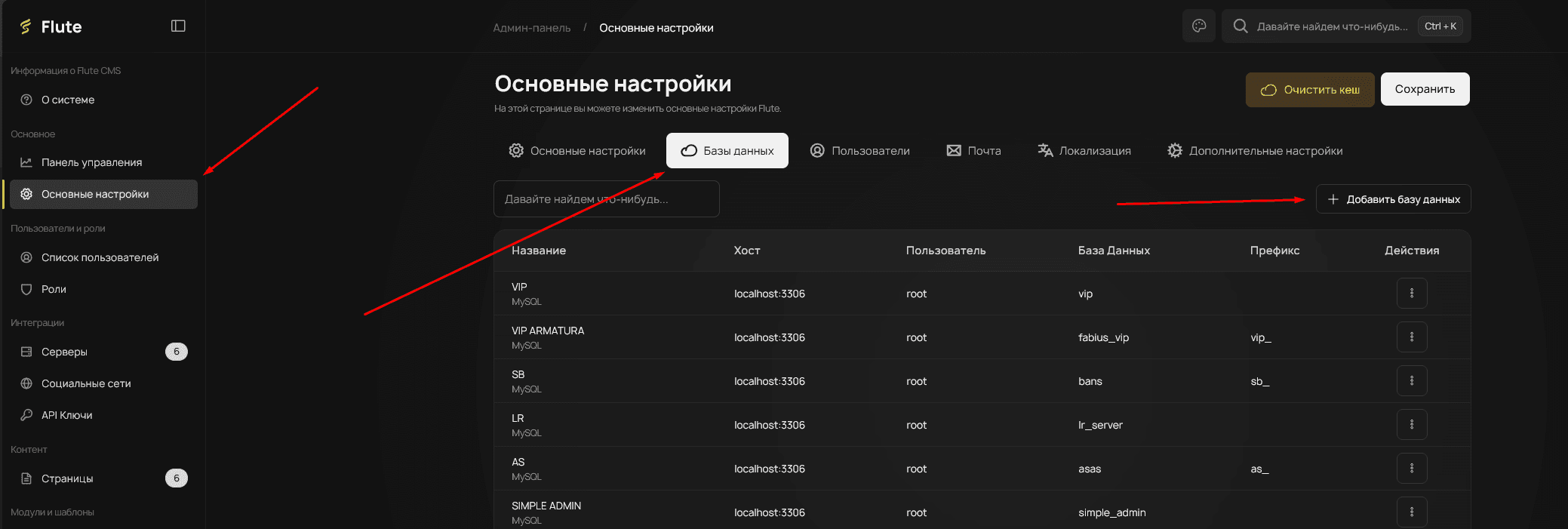
To set up a binding, you first need to create a database connection. Go to Admin Panel → General Settings → Databases tab → Add Database.
Binding to a Server
After creating the database, you need to add a binding to a specific server.
Select any server in the Admin Panel and click edit.
Bindings can only be added to existing servers!
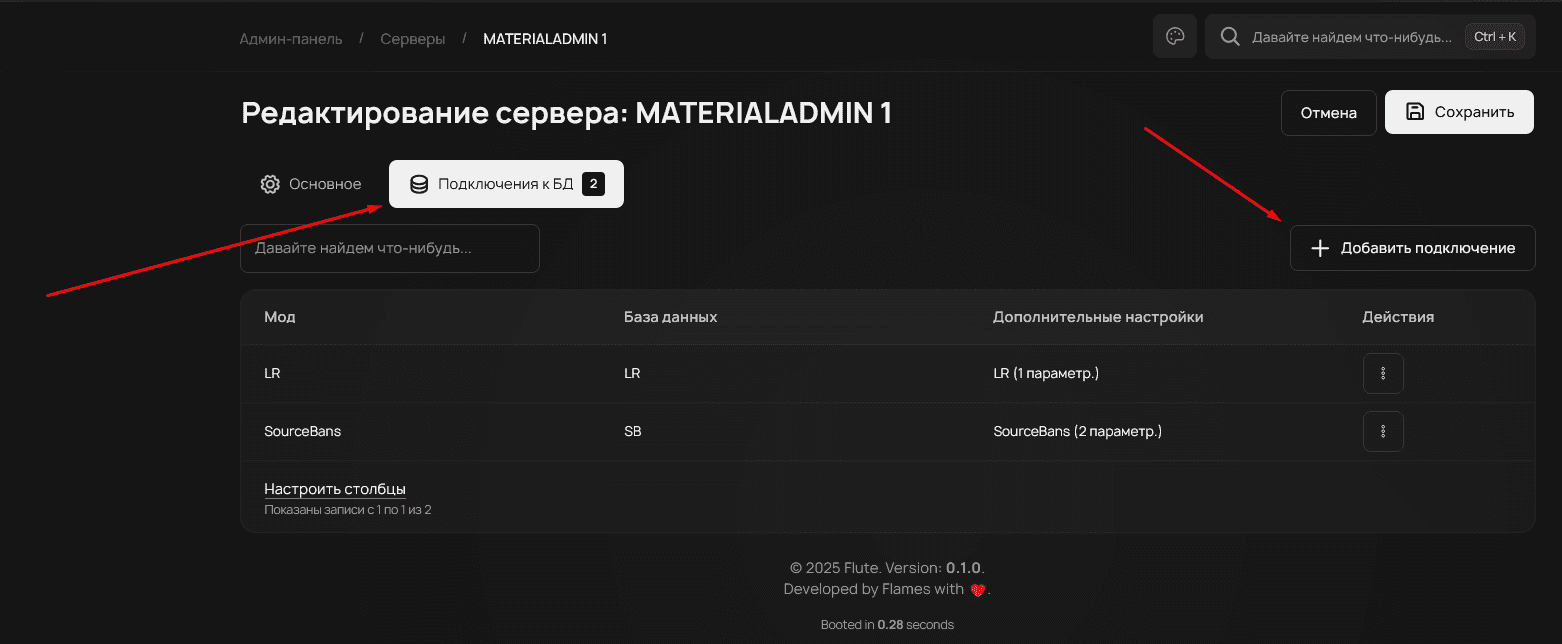
In the window that opens, you need to select the database and the plugin you need.
For the plugins you need to appear, you must install the corresponding modules (for example, for VIP to appear, the VipList module is required)
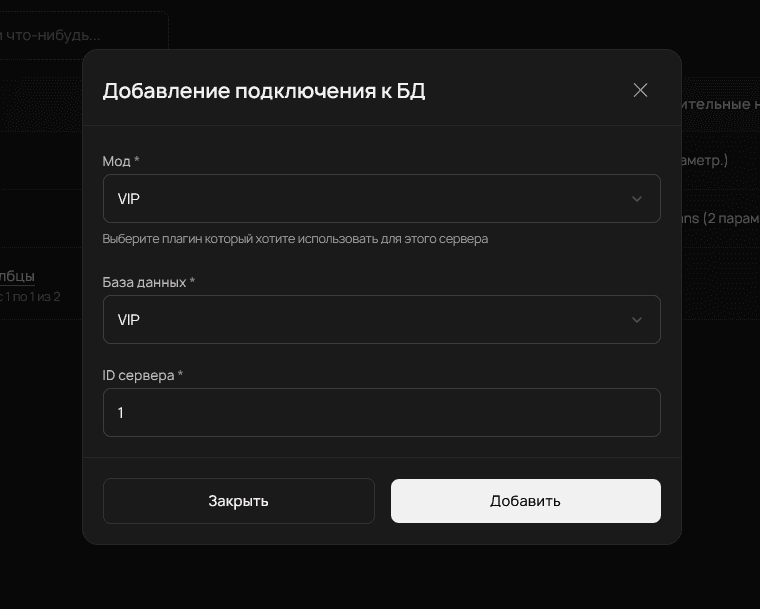
After creating the binding, modules will automatically detect it and use it for their operations. For example, the statistics module will start reading data from the specified database and displaying it on the website for the corresponding server.